Screenshots
App details
- Updated
- Apr 28, 2010
- Language
- English
- Developer
- 2Flyer.com
- Category
- Mobile
SoftPas in:
This product is also available in the following languages:
About RSS Screensaver
Download RSS Screensaver – RSS, screensaver, news feed, idle screen, dynamic news, update, information, mobile app, utility, productivity, smartphone
Overview
RSS Screensaver is a lightweight utility designed to transform idle screen time into a productive information session. By leveraging RSS feed integration, the app displays a continuous stream of headlines directly on the device’s screen when it is inactive. This functionality offers a unique solution for users who wish to stay informed without actively opening news applications. The app is particularly useful for individuals who value real-time updates but prefer minimal interaction with their devices.
Targeted primarily at productivity-focused users and tech-savvy individuals, RSS Screensaver serves as a passive information delivery system. It allows users to monitor multiple news sources simultaneously through a single, unified interface. The app is ideal for those who work in environments where constant notifications may be disruptive but still want to remain updated on current events. It also appeals to users who appreciate clean, minimalistic digital experiences and seek tools that enhance workflow without adding clutter.
Developed by Jason A. Bilbrey, the app has been available since 2010, indicating a long-standing presence in the mobile productivity space. While the developer did not provide additional technical details, the app’s enduring relevance suggests a stable and reliable design. Its niche focus on RSS integration sets it apart from mainstream news apps, offering a customizable and privacy-conscious alternative. The app plays a meaningful role in the utility ecosystem by enabling users to repurpose screen idle time into a source of continuous learning.
Key Features & Functionality
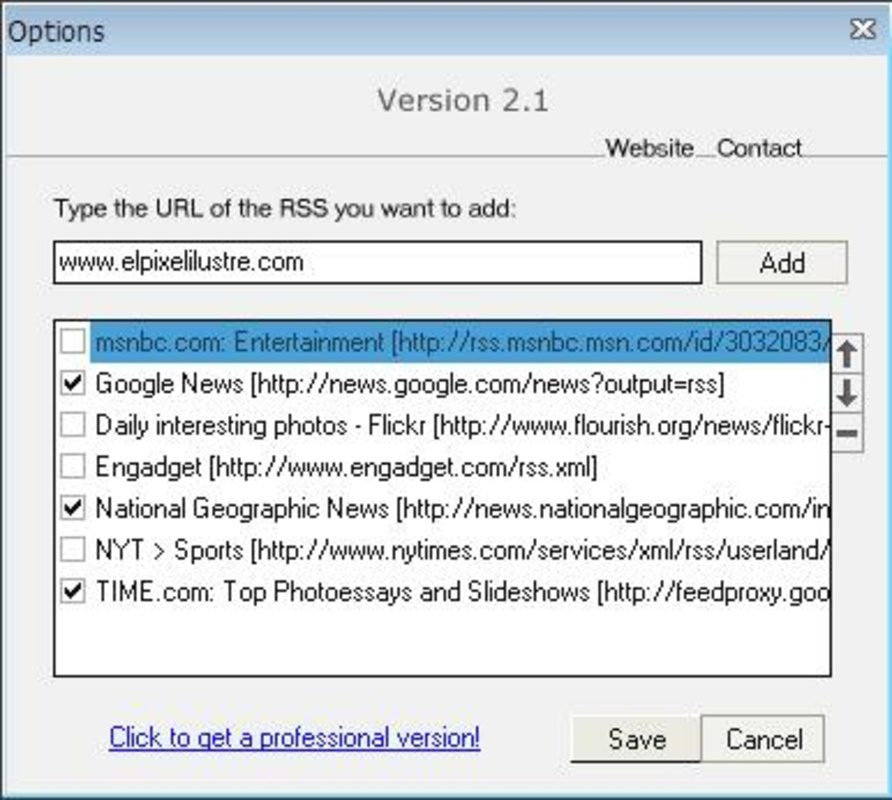
- Simple Configuration: Users can quickly set up the app by entering RSS feed URLs. The process is designed to be intuitive, requiring no prior technical knowledge. This allows even novice users to begin receiving news updates within minutes.
- Dynamic News Feed: Once activated, the screensaver automatically pulls and displays new headlines from the configured feeds. The content refreshes in real time, ensuring users see the latest information without manual intervention.
- Effortless Information Access: The app eliminates the need to open separate news applications. Instead, users receive updates passively while their device remains idle, making it ideal for multitasking environments.
- Stylish Screen Usage: Rather than displaying static images or animations, RSS Screensaver presents a clean, readable news feed. The layout makes efficient use of screen space, offering both visual appeal and functional clarity.
For example, a user can input feeds from their favorite tech blogs, financial news sites, and industry newsletters. As the device enters idle mode, the screen displays headlines in a scrolling format, allowing the user to stay informed without distraction. This feature is especially beneficial during long meetings, travel, or when the device is charging.
Interface, UX & Performance
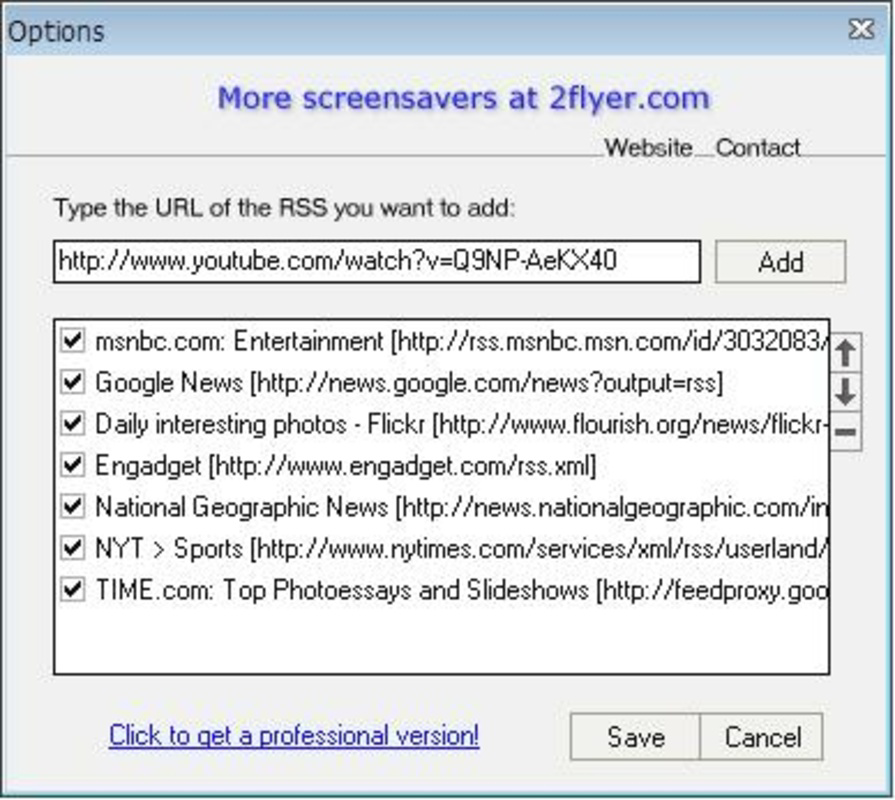
The user interface of RSS Screensaver is minimalistic and focused on functionality. The main screen allows users to input RSS URLs and manage their feed list with straightforward controls. Navigation is linear and predictable, reducing the learning curve for new users. The visual design prioritizes readability, using clear typography and sufficient contrast to ensure headlines are legible even in low-light conditions.
Interaction is limited to feed configuration and activation, which aligns with the app’s passive nature. The app does not include complex menus or settings, maintaining a streamlined experience. Although the developer did not list formal performance metrics, the app’s small file size of 3.7 MB suggests efficient resource usage. It is likely optimized for low-end devices and long-term background operation.
Responsiveness is expected to be consistent, given the app’s lightweight design. The screensaver activates seamlessly when the device enters idle mode and updates content without lag. Stability is likely maintained through a focused feature set, minimizing the risk of crashes or memory leaks. Users can expect reliable operation across various Android device categories, including budget and mid-range models.
Platform Compatibility & Technical Requirements
RSS Screensaver is available on the Android platform. The current version is 1.0, with a file size of 3.7 MB. The app is offered free of charge, making it accessible to a wide audience. Specific OS version requirements were not listed by the developer, so compatibility with newer Android releases cannot be confirmed.
The developer did not specify minimum OS requirements or hardware limitations. As such, users should exercise caution when installing on older devices. The app’s small footprint suggests it may run on devices with limited storage and RAM, but actual performance may vary depending on the device’s configuration. Compatibility information was not fully disclosed.
Pros and Cons
Pros
- Free to download and use with no in-app purchases
- Lightweight design with minimal system resource usage
- Simple setup process ideal for non-technical users
- Passive news delivery during idle screen time
- Supports multiple RSS feeds for customized content
Cons
- Developer did not provide OS compatibility details
- No built-in RSS feed discovery or search functionality
- Limited customization options for text size and layout
- Outdated version number (1.0) may suggest lack of recent updates
- No official support channels or user documentation provided
FAQ
Is RSS Screensaver safe to install?
Yes, the app is free and does not require excessive permissions. As it only accesses RSS feeds and screen idle states, it poses minimal security risk. Users should ensure they download it from trusted sources.
Can I use RSS Screensaver on iOS?
The app is currently available only on Android. There is no information indicating iOS compatibility at this time.
How do I add new RSS feeds?
Open the app and enter the RSS feed URL directly into the configuration screen. The app will begin displaying headlines from the specified source after activation.
Does RSS Screensaver work when the device is charging?
Yes, the screensaver activates during idle periods, including when the device is plugged in and charging.
Is the app updated regularly?
The developer has not provided information about update frequency. The current version is 1.0, which may suggest limited ongoing development.
Final Thoughts
RSS Screensaver offers a unique and practical approach to staying informed in a world saturated with digital noise. By turning idle screen time into a dynamic news feed, it provides a quiet, efficient way to consume information without distraction. Its minimalist design, low resource consumption, and free access make it a compelling choice for users who value productivity and simplicity.
While the app lacks modern features like feed discovery and automatic updates, its core functionality remains effective and relevant. It is particularly beneficial for users who rely on specific RSS sources and prefer a no-frills interface. For those seeking a secure, lightweight tool to passively track news, RSS Screensaver delivers real value.
Download RSS Screensaver now
Guides & Tutorials
How to install RSS Screensaver
- Click the Download button above.
- Once redirected, accept the terms and click Install.
- Wait for the RSS Screensaver download to finish on your device.
How to use RSS Screensaver
This software is primarily used for its core features described above. Open the app after installation to explore its capabilities.
User Reviews
No reviews yet. Be the first to share your experience.
You may also like
more
Que no te pillen¡
About !Que no te pillen¡Reviewed by Jason A. BilbreyShow MoreShow Less

3D Combat Zone
About 3D Combat ZoneOriginally released in 1983, 3D Combat Zone immerses players...

666: El día del portal
About 666: El día del portalOn June 6, 2006, Agent P. Stone uncovers a sinister...

80 in 1 Best Flash games
About 80 in 1 Best Flash games 80 in 1 Best Flash games is a collection of 80 fl...

ABYSS SEEKERーーWhat Do You See Deep in The Abyss
About ABYSS SEEKERーーWhat Do You See Deep in The AbyssIn ABYSS SEEKER, players...

ACA NEOGEO THE KING OF FIGHTERS 2002 for Windows
About ACA NEOGEO THE KING OF FIGHTERS 2002 for WindowsTHE KING OF FIGHTERS 2002,...